
Check the final Word file and PDF
Follow a practical review for section breaks, tables, figures, references and pages that combine Arabic and English.
Read the formatting guideCompare a Word document with APA 7 student or professional paper rules, a published thesis example or your own institution’s requirements. Review the results on your device and take an editable report into your final checks.
Opening the tool…
Follow a practical review for section breaks, tables, figures, references and pages that combine Arabic and English.
Read the formatting guideCompare the graduate school’s final requirements for front matter, chapter structure, figures, declarations and deposit files.
Review the thesis checklistBuild references and in-text citations, then compare each one with the exact source you consulted.
Open the citation generatorChoose the APA 7 student or professional paper rules, the British University in Dubai’s published thesis basics or your own brief. For custom requirements you can specify margins, binding space, line and paragraph spacing, fonts and heading levels.
Both APA profiles look for automatic page numbers in the header. The professional profile also checks supported plain-text running heads for length, letter case and an older label. Check the title-page details and the placement of the running head and numbers on the rendered pages.
Margins are checked for each saved Word section. Spacing and fonts come from ordinary body paragraphs. The report also locates supported page-number, caption and reference-list settings for follow-up in Word. Always compare the final appearance with the requirements for your programme or publisher.
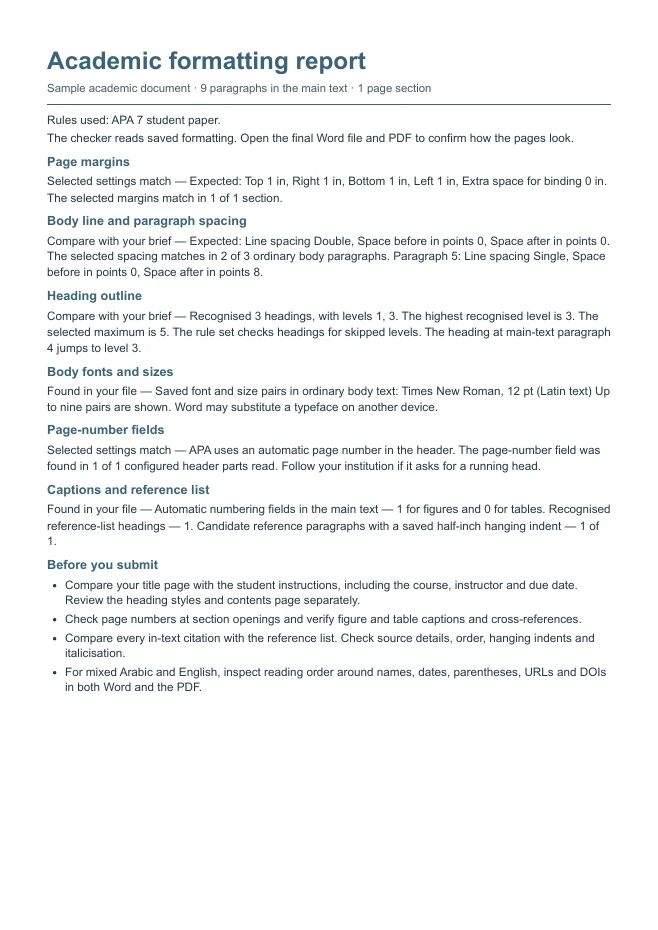
The sample has one section with one-inch margins, an automatic page-number field, and three body paragraphs. Two use double spacing. A paragraph with single spacing is marked for review, and the heading outline skips from level 1 to level 3. Open the sample in Word to find the figure numbering field and the hanging indent below the References heading.
Use it for a first pass on selected Word formatting. Review your title page, figure captions, tables, reference entries and in-text citations against your brief and the relevant style guide.
Open Formatting requirements and choose Custom requirements. Enter the rules your brief specifies and apply them. Settings left blank are observations for your review.
Choose an unlocked .docx file up to 20 MB. In Google Docs, download a Microsoft Word copy first. Use the formatting guide to review the visual result in your final PDF.
Your selected file and its report stay in this open tab. Only you can download or copy a report. The report leaves out the document’s body text and filename.
Yes. It reports saved formatting it can recognise for Latin and Arabic-script text. Check paragraph direction, glyphs, reading order and mixed-language punctuation in your final Word and PDF files.
Your original file stays as it is. The editable Word export is a separate report with supported measurements and a manual checklist. Use the final Word or PDF to verify the appearance.
Use the worked examples and verification steps as you edit your own work.